
Install AAMirror via AAStore
Follow this 8-step guide to get AAMirror running on your Android phone and connected to Android Auto.
Download AAStore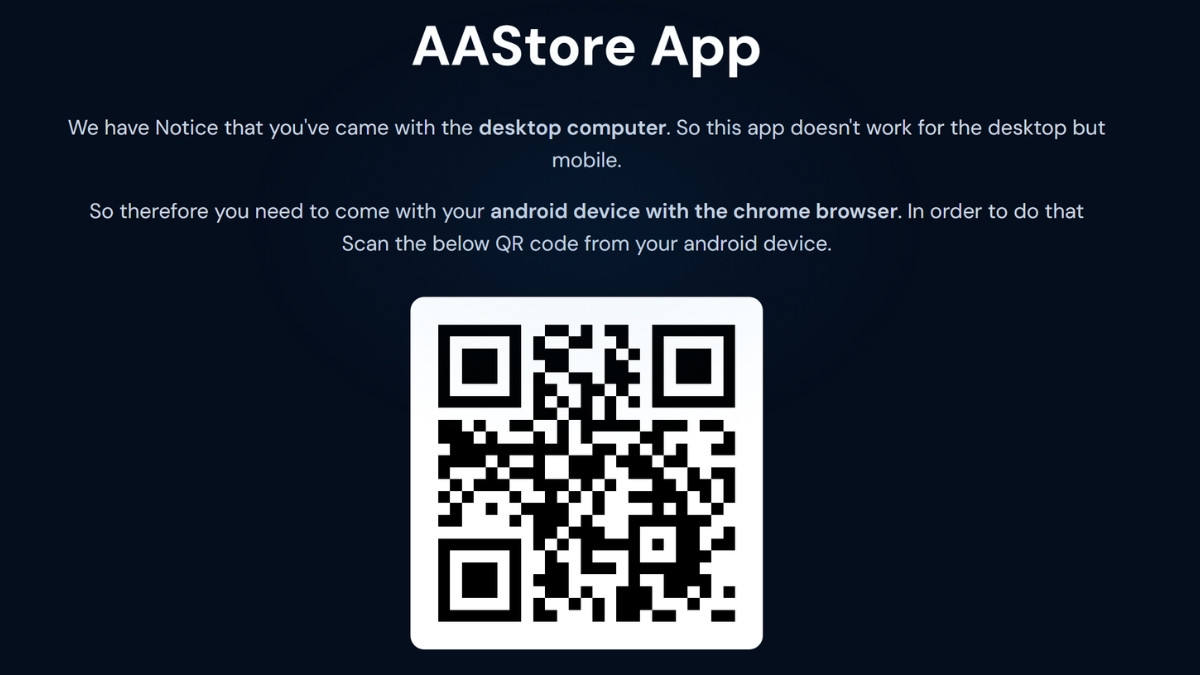
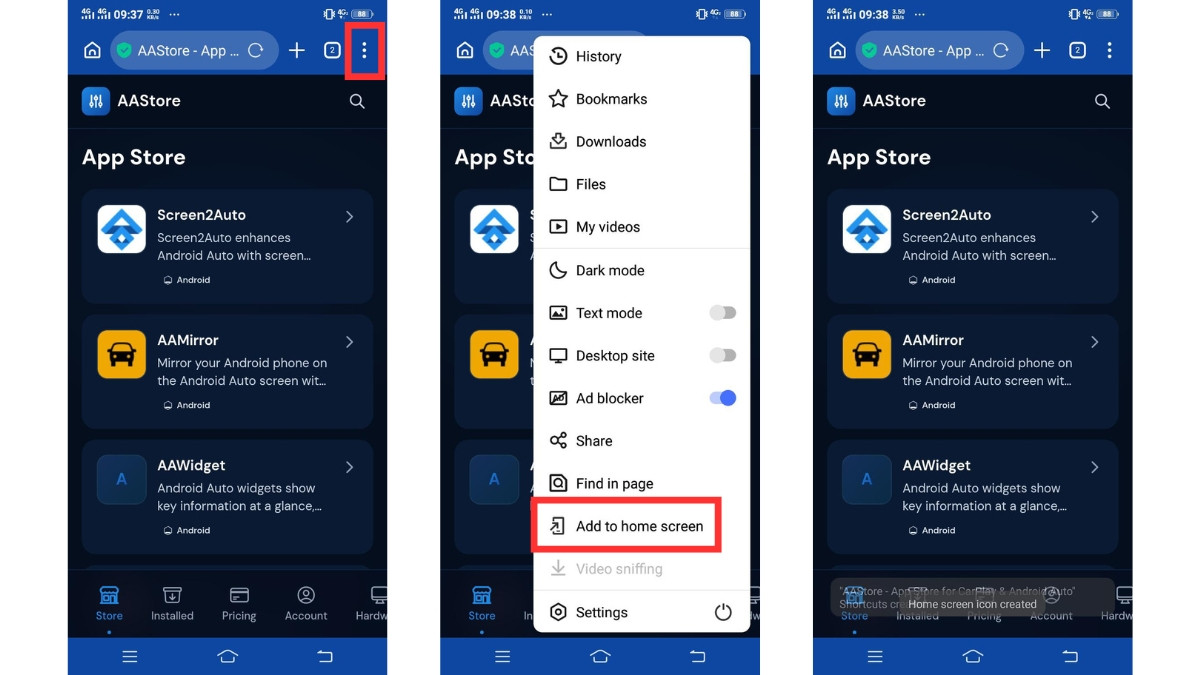
Add AAStore to Your Android Phone
- The AAStore app store page will open on your phone.
- Tap the browser menu (⋮) in the top-right corner.
- Choose "Add to Home Screen" to pin AAStore as an app on your device.
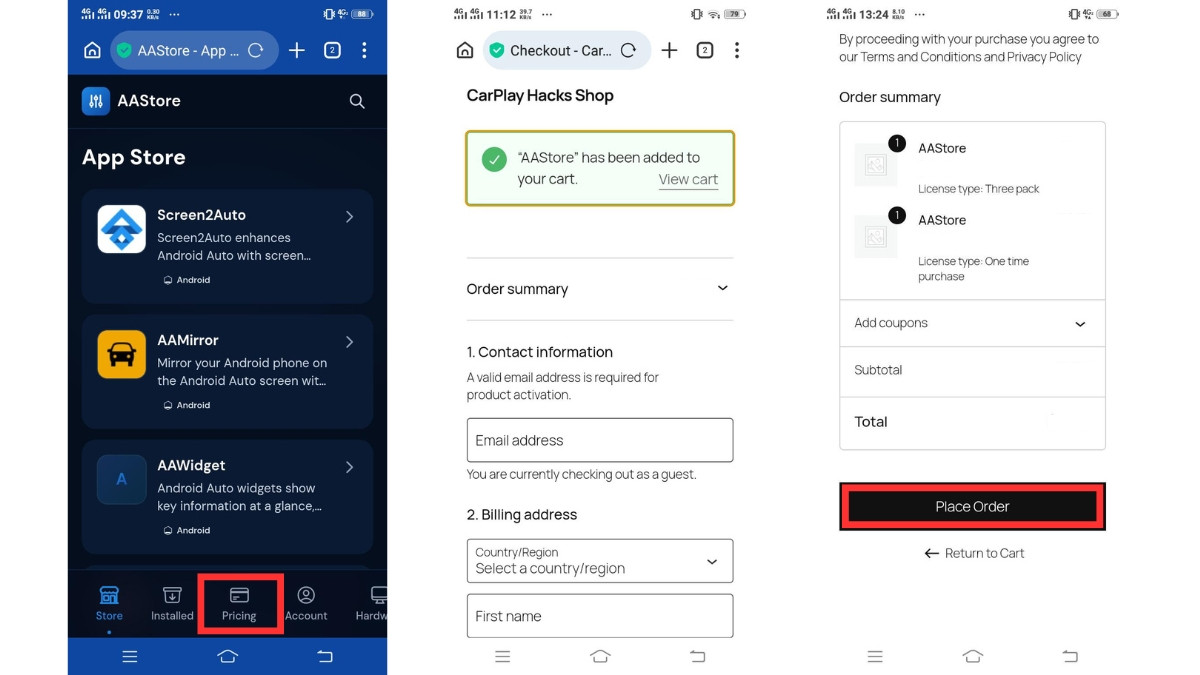
Complete Checkout
- Go to the Pricing tab inside AAStore.
- Choose the plan that matches how many apps you want to activate.
- Complete the one-time purchase — you will receive a confirmation email.
Register and Activate Your Account
- Open AAStore on your phone.
- Go to the Account tab.
- Enter the email address you used during checkout.
- Tap Save & Verify.
- After verification your plan will activate and your app slots will unlock.
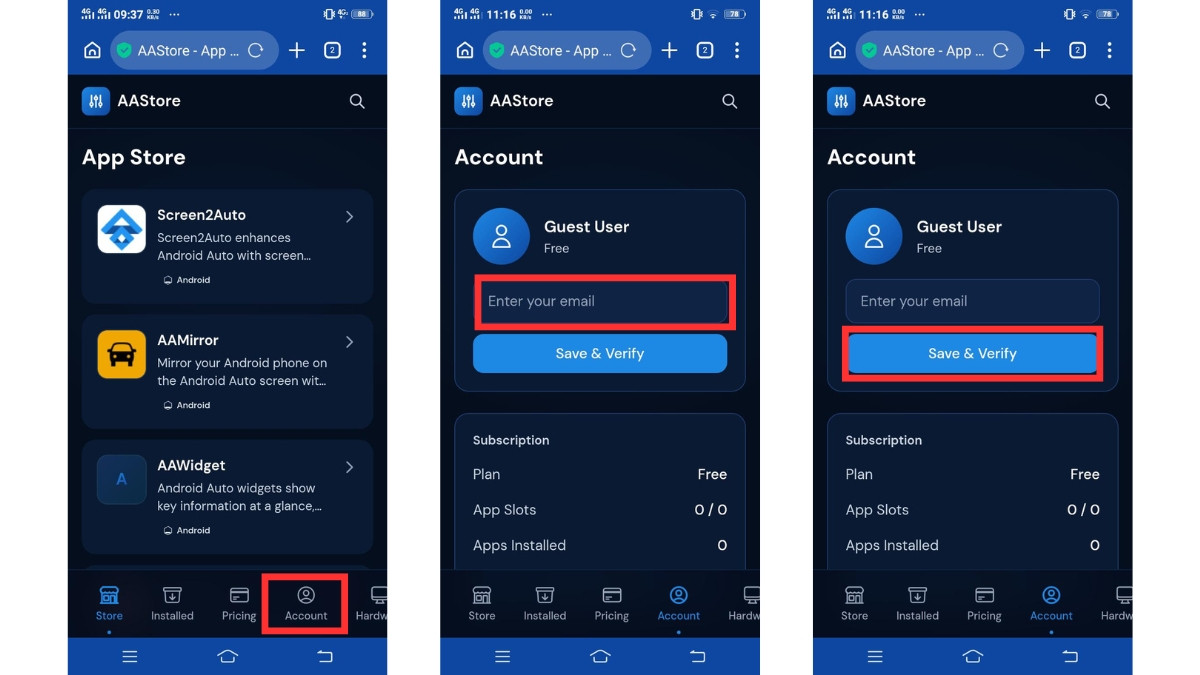
Use the exact same email address that you used when completing checkout.
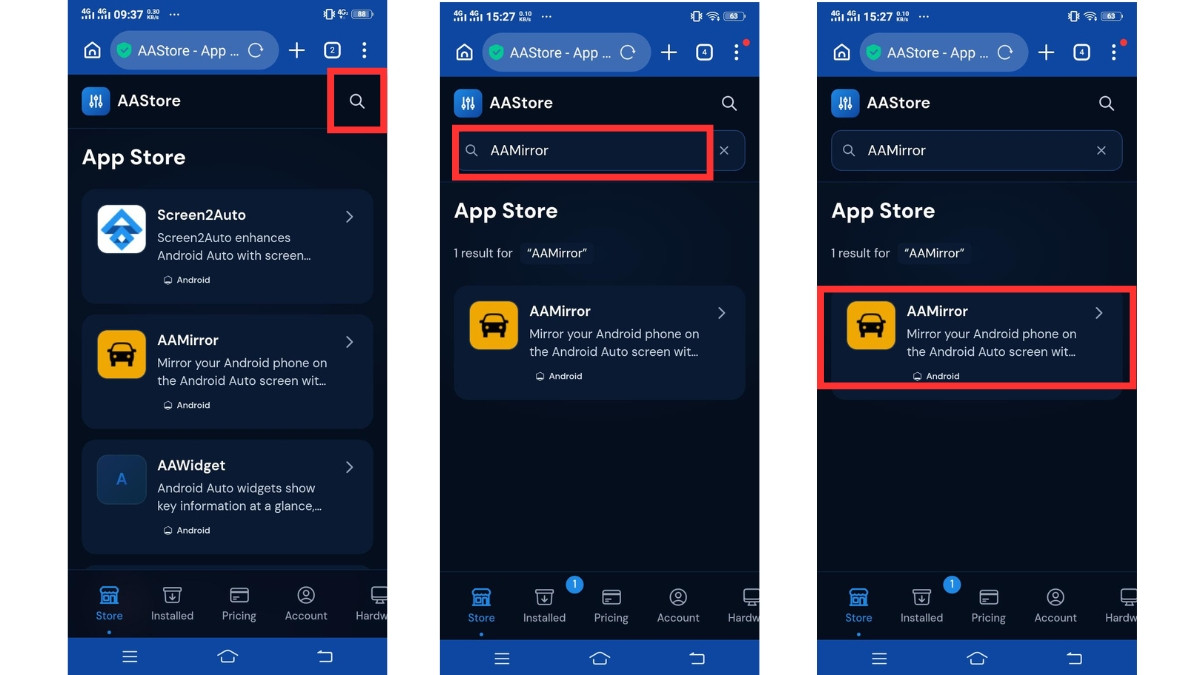
Find AAMirror
- Inside AAStore, tap the search icon (🔍) in the top-right corner.
- Type "AAMirror" in the search bar.
- Tap the AAMirror result to open the app page.
Download AAMirror APK
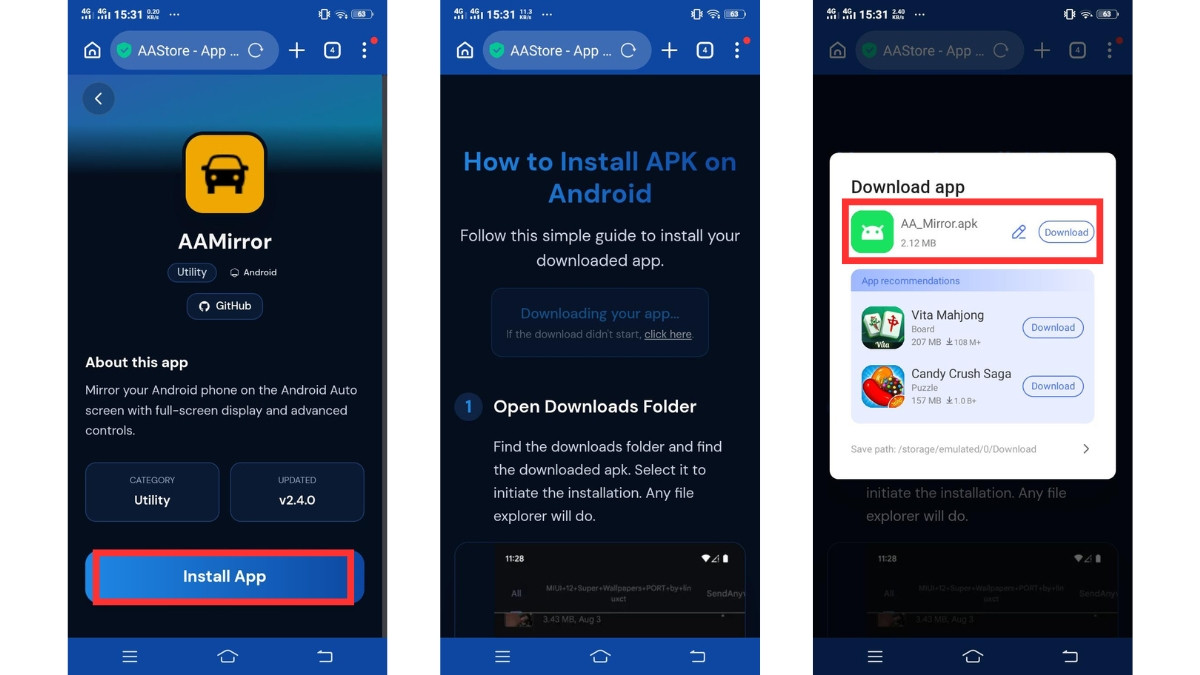
- On the AAMirror app page, tap Install App.
- AAStore will begin downloading the AAMirror APK to your phone.
- The file will be saved in your Downloads folder as AA_Mirror.apk.
Install AAMirror APK
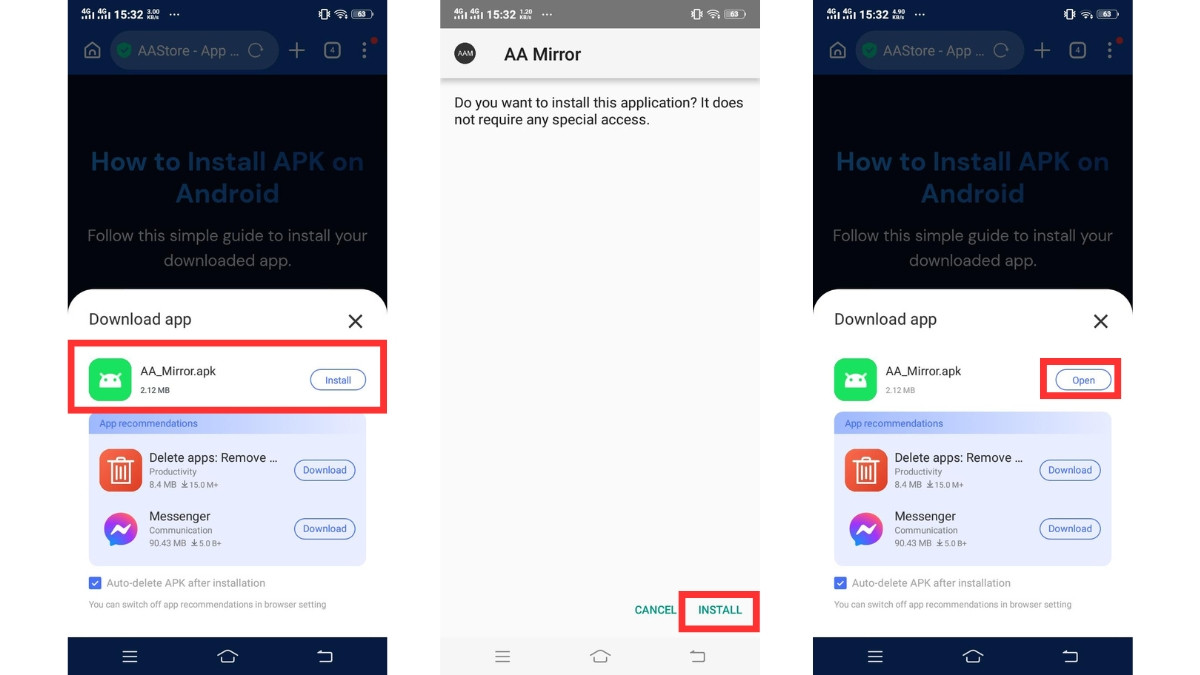
- Tap the AA_Mirror.apk file from the download notification or your Downloads folder.
- When the Android installer opens, tap Install.
- Wait for the installation to complete.
- After installation, tap Done or Open.
If prompted, allow installation from unknown sources in your device settings.
Connect Your Phone to Android Auto
- Connect your Android phone to your car using USB or wireless Android Auto.
- Open Android Auto on your car display.
- Find AAMirror in the app launcher and tap to start mirroring.
Disclaimer
AAStore, AAMirror and related Android Auto apps may not be officially supported by Google or any car manufacturer.
Compatibility and app behavior may vary depending on Android version, phone model, Android Auto version, vehicle system, region and future software updates.
Frequently Asked Questions
What is AAMirror?
AAMirror is an Android Auto app that lets you mirror your Android phone screen on your car's display, giving you access to any app on the big screen.
How do I install AAMirror?
Scan the QR code to open AAStore on your Android device, complete checkout, verify your account, find AAMirror and tap Install.
Which email should I use?
Use the same email address you entered during checkout. This is how AAStore links your purchase to your account.
Why can't I see AAMirror?
Your phone model, Android Auto version, car system, or region may not be fully compatible. Check the AAStore compatibility list for details.
Can updates affect AAMirror?
Yes. Android OS or Android Auto updates may change how AAMirror behaves. Always keep AAMirror updated via AAStore to get the latest fixes.
Ready to Get Started?
Open AAStore on your Android device and follow the steps above to install AAMirror today.
Download AAStore